














Note that iPhone devices from Mainland China aren’t eSIM compatible. Also iPhone devices from Hong Kong and Macao aren’t compatible (except for iPhone 13 Mini, iPhone 12 Mini, iPhone SE 2020 and iPhone XS)
The 2026 FIFA World Cup is set to be the most expansive sporting event in history, stretching across three nations – the United States, Canada, and Mexico – with 48 competing teams and 16 host cities sharing the stage. For fans making the journey to witness matches live, this tournament is unlike anything that has come before. The scope of the event means that a single supporter might travel from New York to Toronto to Guadalajara over the course of a few weeks, crossing international borders and adapting to new cities on the fly, all while chasing the team they love through the bracket.
What ties every part of that journey together, from the moment you land in your first host city to the final whistle in the championship match, is mobile connectivity. The 2026 World Cup has leaned fully into digital infrastructure, and that means your smartphone is not just a convenience for this trip. It is your ticket, your map, your translator, your lifeline to family back home, and your connection to everything that makes travel feel manageable. This guide breaks down how to stay connected across all three host countries so that your focus stays on the football, not your phone signal.
Stay Connected in the USA
Get seamless eSIM data coverage for all your USA World Cup matches.
Why Connectivity Is Non-Negotiable at This World Cup?
Past World Cups were logistically simpler. Fans attending tournaments in a single country dealt with one network environment, one set of carriers, and one currency. The 2026 edition fundamentally changes that equation. Group stage draws could place fans in an American city for their team’s opening match and then push them across the border into Canada or Mexico for the knockout rounds. Each border crossing is a potential gap in coverage if you have not thought through your data plan in advance.
The tournament’s digital-first model makes connectivity more critical than ever. FIFA and the host organizations have committed to paperless stadium entry for 2026, which means your match ticket is a barcode on your phone. There is no paper alternative, no physical fallback. If your signal drops at the turnstile on match day, in an environment where tens of thousands of fans are simultaneously pushing traffic through the same local towers, you could find yourself locked out of a match you paid good money to attend. Connectivity is not a nice-to-have on this trip. It is infrastructure.
Your Options for Staying Connected Across Three Countries
Once you understand the stakes, the next step is actually choosing how to stay connected. There are several approaches available to travelers, and each one comes with a different set of trade-offs that are worth considering before you finalize your plans.
Roaming through your home carrier is the most common default, but it is also the most financially unpredictable option for an extended multi-country trip. International roaming rates vary widely between carriers, and the costs can compound quickly when you are consuming data across the USA, Canada, and Mexico over several weeks. Many plans cap high-speed roaming data at a daily limit, which means you could find yourself throttled to unusable speeds exactly when you need navigation the most.
Local prepaid SIM cards are another option, and they tend to offer good value in isolation. The problem is that a single SIM only works in one country. To stay connected across all three host nations, you would need to buy and manage three separate physical SIM cards, three different phone numbers, and swap them every time you cross a border. For fans moving quickly between venues in different countries, that is a meaningful operational burden, and it creates real confusion for anyone trying to reach you at a consistent number.
Portable Wi-Fi hotspot devices can be useful for groups sharing a single connection, but they require their own data plan, an additional device to charge and carry, and their multi-country coverage varies considerably by provider. In a stadium environment, they also provide no advantage over a direct mobile plan when it comes to speed or reliability under load.
Check out our plans
-

North America 7 Days 3GB
USD 0.00 -
North America 7 Days Unlimited
USD 17.00 -
North America 15 days 5GB
USD 22.00 -
North America 15 Days Unlimited
USD 29.00 -
North America 30 days 8GB
USD 35.00 -
North America 30 Days Unlimited
USD 49.00
The Case for a Regional eSIM Across All Three Host Nations
The option that fits the 2026 World Cup’s specific demands most precisely is a North America regional eSIM. An eSIM is a digital SIM card embedded directly into the smartphone that you activate by scanning a QR code – no physical card, no store visit, no waiting. Once it is live, it operates as your primary data connection across whichever countries its plan covers.
A regional plan designed for North America keeps you connected across the United States, Canada, and Mexico on a single subscription. You land in Los Angeles and your data is active. Your match schedule moves you to Vancouver and the connection follows automatically. You cross south for a knockout round in Mexico City and the same eSIM continues working without any action on your part. One plan, three countries, and no dead zones at border crossings.
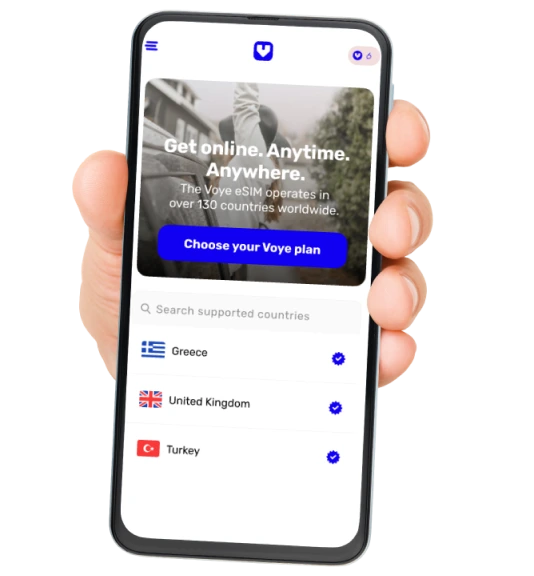
This approach also gives you financial predictability. Regional eSIM plans typically charge a flat fee for a set data allowance, so you know your connectivity cost before you ever board your first flight. Many plans cover 60 or more days of data access, which comfortably spans the length of the entire tournament from the opening group matches through the final. Voye Global eSIM for North America is built specifically for this kind of multi-country travel, offering consistent coverage across all three host nations under a single regional plan – no juggling, no surprises.
For travelers whose smartphones support eSIM technology, which includes most flagship devices released in the last several years, this is simply the most sensible connectivity strategy available for the 2026 World Cup.
Crossing Borders Without Losing Your Signal
One of the quiet anxieties of multi-country travel is that moment after you clear customs and check your phone to see whether it has picked up a local network on the other side. With a properly configured regional eSIM, that anxiety largely disappears. The plan is already set up to roam between carriers across the USA, Canada, and Mexico, so your phone connects to a local network automatically when you cross each border. You do not notice the transition because there is nothing to manage.
That said, a few preparation habits go a long way regardless of how solid your eSIM plan is. Download offline maps for each city on your itinerary before you leave your accommodation. Offline maps load instantly and work without any data signal at all, which matters in the stretches between cities or in areas where coverage runs thinner. Navigation apps typically allow you to cache entire regions in advance, and using that functionality takes meaningful pressure off your live data connection on the days you need to get somewhere fast.
Border areas themselves can occasionally have inconsistent coverage because they sit between the network footprints of two different countries. Arriving at any border with your destination address already saved, your transportation from the other side already booked, and your accommodation details downloaded means you have everything you need for the brief window while your connection transitions between networks.
Digital Tickets and What Happens if Your Data Drops?

This deserves dedicated attention because it is the connectivity failure that has the most direct consequences. If your data drops at the stadium gate, and your ticket is stored in an app that requires a live internet connection to display, you may not get in. This is not an edge case to dismiss. Stadium environments hosting large-scale events routinely experience significant network congestion in the minutes before gates open, when every fan is simultaneously trying to load something on their phone.
The practical answer is to treat your digital ticket like the most important document on your device. Load it and screenshot it or save it for offline display the evening before the match, while you are still in your hotel room with a stable connection. Most official ticketing platforms for events of this scale allow some form of offline barcode access; verify that you have it set up before you are standing in a crowd of fifty thousand people.
Having a reliable eSIM for USA matches, or an eSIM for Canada venues if your schedule takes you north, reduces the overall risk of connectivity failure because you are on a dedicated data plan rather than fighting for bandwidth on congested public networks or a roaming connection that throttles under load. But the offline backup habit is smart regardless of how good your plan is, because stadium environments create conditions that can stress any network.
Navigating the Host Cities Like a Seasoned Traveler
The sixteen host cities spread across three countries each present their own logistical character. American cities like Los Angeles, Dallas, New York, Seattle, San Francisco, and Kansas City are heavily oriented around ride-sharing for urban transportation. Getting from your hotel to the stadium and back on match day will almost certainly involve booking through an app, and that booking requires data at exactly the moment when local networks are under their heaviest demand from every other fan doing the same thing.
Canadian host cities including Toronto and Vancouver offer strong public transit networks that can handle the surge of World Cup traffic more gracefully than surface roads. Using those systems efficiently depends on having access to real-time schedules and route planners, both of which run on data. For international fans less familiar with local transit conventions, being able to look up options on the fly is the difference between arriving on time and missing kickoff.
Mexican host cities such as Guadalajara, Mexico City, and Monterrey present a rich and vibrant environment for traveling fans, but navigating them confidently is considerably easier with reliable data. For visitors who do not speak Spanish, real-time translation apps become a genuinely useful travel tool for reading menus, understanding signage, and communicating with locals. These are the unscripted moments of a World Cup trip, the ones that turn a sports vacation into a genuine cultural experience, and they work best when your connection is steady. An eSIM for Mexico ensures that your data keeps up with you as you explore the host cities there, without any gap in coverage between venues.
Your World Cup Data Plan
One regional eSIM plan covering all three World Cup host nations.
Practical Habits to Keep Your Connection Strong All Tournament
A regional eSIM handles the heavy lifting, but a few deliberate habits make the difference between a connection that holds up across six weeks of travel and one that lets you down at a critical moment.
- Connect to Wi-Fi at your hotel or accommodation whenever it is reliably available. This conserves your mobile data for the moments when you genuinely need it on the go – navigating to a stadium, booking a ride, or pulling up your ticket at the gate.
- Check your data usage periodically through your phone’s settings. Knowing where you stand against your plan’s allowance means you can adjust your habits before you are caught short during the knockout rounds.
- Save your eSIM plan details and customer support contact information somewhere accessible offline – a notes app, a screenshot, or a written note – so that if a technical issue does come up, you can resolve it without needing a working connection first.
- Install and configure all your key apps before you leave home: your ticketing platform, your maps, your ride-sharing account, and any translation tools you plan to use. Getting locked out of an app account in an unfamiliar city is a fixable problem, but it is a much easier one when you are not also trying to get to a match on time.
Conclusion
The 2026 FIFA World Cup across the United States, Canada, and Mexico is going to be a genuinely historic experience. No tournament of this scale has ever unfolded across three countries at once, and the combination of iconic host cities, passionate fan bases from 48 competing nations, and the electric atmosphere of live international football promises something that supporters will carry with them for the rest of their lives. The logistics of a trip like this are real, but every one of them is manageable with the right preparation.
Connectivity is the thread running through all of it. Your ticket, your navigation, your ride to the stadium, your calls home, and your ability to find your way in an unfamiliar city all depend on having reliable mobile data. Sorting out a regional eSIM that covers all three host countries before you travel is one of the most straightforward investments you can make for this trip, and one of the highest-return ones. Plan ahead, stay connected, and spend your energy on the football.

Seamless Mobile Data Everywhere
Voye Global — Your Trusted eSIM Partner for Secure & Reliable Travel.




 English