




The countdown to the FIFA World Cup 2026 is building anticipation across the globe, and few venues carry as much significance as MetLife Stadium. Set to host the grand finale on July 19, 2026, this iconic stadium will transform into the heart of global football, drawing fans, media, and players from every corner of the world. For travelers planning their once-in-a-lifetime World Cup experience, understanding what to expect at this venue is essential.
Located in East Rutherford, New Jersey, just minutes from Manhattan, the stadium offers a unique blend of accessibility and scale. With a massive modernization project underway, including upgrades tailored to FIFA standards, this venue promises a world-class matchday experience. Whether you are attending a group-stage clash or the Final itself, this guide will help you navigate everything from transportation to fan zones, ensuring a seamless and unforgettable journey.
A Stadium Transformed for the World Cup
MetLife Stadium is no stranger to major sporting events, but the 2026 World Cup demands a different level of excellence. A $300 million renovation is currently in progress to meet FIFA requirements and elevate the overall fan experience.
Stay Connected in the USA
Get fast data access across the United States during matches.
A major technical transformation is underway to meet FIFA requirements. While MetLife Stadium typically uses synthetic turf, a temporary natural grass pitch will be installed specifically for the World Cup. This project also includes the removal of several thousand corner seats to expand the field dimensions to FIFA’s international standards, alongside significant upgrades to hospitality areas and digital infrastructure.
The stadium’s open-air design creates a vibrant atmosphere, but it also means fans should prepare for changing weather conditions. Summer in the New York and New Jersey region can bring both intense sun and cooler evening breezes, making layered clothing a smart choice.
Match Schedule at the Final Venue
The stadium will host eight matches throughout the tournament, culminating in the Final. While the specific nations competing will not be known until the Final Draw in late 2025, the dates for the New York-New Jersey matches are set.
The 2026 MetLife Stadium Schedule:
- June 13, 16, 22, 25, 27: Group Stage Matches
- June 30: Round of 32
- July 5: Round of 16
- July 19: The FIFA World Cup 2026 Final
Getting to the Stadium Efficiently
Transportation planning is one of the most critical aspects of attending a World Cup match at MetLife Stadium. Unlike typical NFL games, there will be no general parking available for fans during the tournament.
The most reliable option is NJ Transit rail service. Trains run from New York Penn Station to Secaucus Junction, where fans transfer to the Meadowlands Rail Line. This route is designed for high-capacity travel and is the most efficient way to reach the stadium.
While exact tournament pricing is pending, standard round-trip fares typically cost under $20. Access will require a valid match ticket, and fans are encouraged to use the FIFA Ticketing App for seamless entry. These measures help manage the massive crowd flow expected for the championship match.
For those seeking alternative options, official shuttle buses provide direct service from three major hubs. These include the Port Authority Bus Terminal, Midtown East, and a New Jersey medical campus. Rideshare services are also available, but drop-off points are located off-site, requiring a short walk to the stadium.
Check out our plans
-
United States Voice 7 Days 1GB
USD 6.00 -
United States 7 Days Unlimited Data
USD 23.00 -
United States Voice 15 Days 3GB
USD 12.00 -
United States 15 Days Unlimited Data
USD 43.00 -
United States Voice 30 Days 10GB
USD 22.50 -
United States 30 Days Unlimited Data
USD 60.00
Entry, Security, and Arrival Tips
World Cup matches operate under stricter protocols than typical sporting events, and preparation is key. Fans are advised to arrive at least two hours before kickoff, especially for high-profile matches like the Final.
Security screenings will be extensive, with multiple checkpoints and digital ticket verification. All tickets are mobile-only and must be accessed through the official tournament app.
The clear bag policy is strictly enforced. Only transparent bags within the specified size limits are allowed inside the stadium. This policy helps speed up entry and enhances overall safety.
Given the scale of the event, patience and early planning will significantly improve your experience. Expect large crowds, long queues, and heightened security presence.
What to Expect Inside the Stadium?
Once inside MetLife Stadium, fans will experience a venue designed for global spectacle. The upgraded facilities will include enhanced food and beverage options, improved restroom access, and upgraded seating arrangements.
The atmosphere will be electric, with fans from dozens of countries bringing their unique chants, colors, and traditions. The open-air structure amplifies crowd noise, creating an immersive experience that television simply cannot replicate.
Digital enhancements will also play a major role. From real-time match statistics to interactive fan experiences, technology will be integrated throughout the stadium to keep fans engaged from kickoff to the final whistle.
Fan Festivals Across New York and New Jersey
Even if you do not have a match ticket, the World Cup experience extends far beyond the stadium. Official fan zones will be set up across the region, offering free access to live match screenings and cultural events.
In Manhattan, the iconic Rockefeller Center will transform into a vibrant Fan Village. The famous plaza will feature giant screens, interactive exhibits, and even a mini soccer pitch.
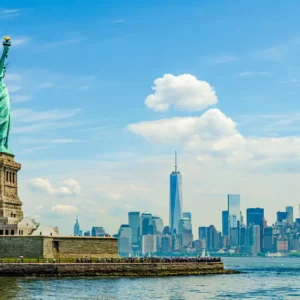
In New Jersey, Liberty State Park in Jersey City is slated to host a massive fan hub with the Statue of Liberty as a backdrop, featuring daily events, food vendors, and live entertainment. Across the river, fans can gather at official FIFA Fan Festivals in iconic locations like Central Park and Hudson River Park. These zones ensure that even those without tickets can feel the pulse of the tournament.
Additional fan zones will be spread across Brooklyn, the Bronx, and Staten Island, ensuring that every borough participates in the celebration.
Easy Travel Data USA
Reliable eSIM plans for smooth navigation and match updates.
Travel Essentials for International Visitors
Traveling to the United States for the World Cup requires careful planning. From visa requirements to accommodation, early preparation is crucial. Hotels near Secaucus Junction and Midtown Manhattan will be in high demand, so booking well in advance is strongly recommended.
Connectivity is another key factor. Staying connected allows you to access tickets, navigate transportation, and receive real-time updates. Using a reliable eSIM solution can simplify your travel experience. Voye Global offers convenient options for staying connected without the hassle of physical SIM cards, making it easier to manage your trip.
Currency exchange, tipping culture, and local transportation systems are also important considerations. Familiarizing yourself with these aspects will help you navigate the region more confidently.
Weather and Packing Tips
Summer weather in the New York and New Jersey area can vary significantly. Daytime temperatures can be warm and humid, while evenings may feel cooler, especially in an open-air stadium.
Packing essentials should include:
- Light, breathable clothing
- A hat and sunscreen
- A light jacket for evening matches
- Comfortable walking shoes
Hydration is also important, particularly during afternoon matches. Staying prepared will help you focus on enjoying the game rather than dealing with discomfort.
Making the Most of Your Matchday Experience

Attending a World Cup match is about more than just the game. It is an opportunity to immerse yourself in a global celebration of culture, sport, and unity.
Arrive early to explore the stadium परिसर, take photos, and soak in the atmosphere. Engage with fellow fans, try local food options, and participate in pre-match activities. These moments often become the most memorable parts of the experience.
Planning your departure is equally important. With thousands of fans leaving simultaneously, transportation systems will be under pressure. Allow extra time and follow official guidance to avoid unnecessary stress.
Why MetLife Stadium Stands Out?
Among all the venues in the FIFA World Cup 2026, MetLife Stadium stands out for its scale, accessibility, and significance. Hosting the Final places it at the center of global attention, making it a must-visit destination for football fans.
Its proximity to New York City adds another layer of appeal, allowing visitors to combine world-class football with one of the most iconic urban experiences in the world. From Times Square to Central Park, the surrounding region offers endless opportunities for exploration.
Conclusion
The journey to the World Cup Final at MetLife Stadium is more than just attending a match. It is about being part of a historic moment in global sport. With careful planning, an understanding of logistics, and a willingness to embrace the energy of the event, fans can create memories that last a lifetime.
As the FIFA World Cup 2026 approaches, preparation will be the key to unlocking the best possible experience. From transportation to fan zones, every detail contributes to the overall journey. Whether you are cheering from the stands or enjoying the atmosphere at a fan festival, this event promises to deliver an unforgettable celebration of football on the world’s biggest stage.

Seamless Mobile Data Everywhere















 English