














Note that iPhone devices from Mainland China aren’t eSIM compatible. Also iPhone devices from Hong Kong and Macao aren’t compatible (except for iPhone 13 Mini, iPhone 12 Mini, iPhone SE 2020 and iPhone XS)
As you move through the terminal, the reality of arriving in one of the world’s busiest and most beautifully organized airports begins to settle in. Signs guide you toward immigration, luggage belts hum in the distance and a gentle mix of Japanese announcements blends with the footsteps of travelers making their way into the city. It is exciting and disorienting at the same time, especially if this is your first visit. That is when having a working connection becomes more than a convenience. It becomes your lifeline for clarity in a place where everything is new.
The moment you switch on your phone, the need for instant data becomes obvious. Whether you must pull up your hotel confirmation, check train times into central Tokyo, or let someone know you landed safely, every task depends on having internet right away. Haneda is known for its efficiency, but navigating it becomes far easier when you are not scrambling for WiFi signals or searching for rental counters. Starting your trip with a stable connection ensures that your first hour in Japan feels smooth, rather than overwhelming, allowing you to focus on the excitement ahead.
From Airplane Seat to Full Signal in Ten Minutes
If you want to be online in under ten minutes after landing, follow this fast and reliable checklist. It is designed for travelers who want zero stress while moving through the airport.
- Turn off airplane mode as you taxi to the gate.
- Keep WiFi turned on because some phones stabilise eSIM installation while connected to WiFi.
- Open your email or app and scan the QR code for your eSIM plan.
- Allow your phone to download the eSIM profile which usually takes one to three minutes.
- Select the new eSIM as your data line inside mobile settings.
- Leave your home SIM active if you expect OTP messages from banks or want to receive calls.
- Turn on data roaming for the eSIM if required by the provider.
- Restart your phone only when prompted.
- Run a quick search or load a map to confirm you are online.
- Walk into Haneda already connected and ready to catch your train.
Connectivity Options at Haneda Airport in 2026
Haneda has kept improving its traveler services year after year, especially its connectivity options. Here is what you can expect upon landing.
Free Airport WiFi Across Terminals
The airport offers free WiFi throughout public areas. It is useful for simple tasks like checking traffic conditions or downloading train route maps. However speeds fluctuate during busy arrival waves. Use it as a temporary bridge until your long term solution is active.
Pocket WiFi Rentals for Groups and Families
Pocket WiFi remains popular for travelers who want to share one data source across multiple devices. You can rent a unit at counters near arrivals.

Pros:
- Great for families.
- Unlimited data plans available.
- Works with laptops and tablets.
Cons:
- Battery drains by late afternoon.
- Must be returned at departure.
- Risk of damage or loss fees.
- Carrying an extra device can be inconvenient.
Connect Before You Touch Down
Install your eSIM before departure and enjoy smooth arrival at Haneda.
Purchasing a Physical SIM Card
Several airport shops sell physical SIM cards for short stay visitors
Pros:
- Direct access to Japanese networks.
- Many data plan options.
Cons:
- Requires removing your home SIM.
- Difficult to receive bank or verification messages.
- Must keep track of your original SIM.
Activating an eSIM: eSIM avoids all the issues of physical cards and rental devices. You can purchase your plan before flying and activate it immediately after landing. Most travelers prefer eSIM because it is fast, simple, and suitable for modern smartphones. No tools, no queues, no extra devices. eSIM is the clear winner for convenience.
How to Get to Haneda Airport from Tokyo and Other Regions?
Whether you are leaving the airport or planning your return trip, understanding access routes helps you move through Tokyo smoothly. Here are the major methods with full details.
Keikyu Line from Shinagawa and Central Tokyo
The Keikyu Line is a fast and cost friendly option connecting Haneda with Tokyo’s southern districts.
- Travel time: About 14 minutes from Shinagawa to Terminal 3.
- Cost: Usually around 300 to 400 yen.
- Train options: Airport Express or Local services.
- Where it runs: Connects with Asakusa Line which links to Asakusa, Nihonbashi and Shimbashi.
- Luggage tips: Avoid rush hour if you carry large suitcases. Carriages have racks but limited floor space.
Explore Japan with Confidence
Stay seamlessly connected across Japan’s cities and countryside.
Tokyo Monorail from Hamamatsucho
The monorail glides over the waterfront and offers a scenic approach to Haneda.
- Travel time: Around 13 minutes on the fastest services.
- Cost: About 500 yen.
- Access: Connects to the JR Yamanote Line loop.
- Luggage tips: Dedicated luggage zones make travel easier with bulky bags.
Airport Limousine Bus
A convenient option for travelers staying at major hotels or who want door to door service.
- Travel time: Usually 25 to 60 minutes depending on location and traffic.
- Cost: Between 900 and 1400 yen.
- Common pickup points: Shibuya, Shinjuku, Roppongi, Ginza and Tokyo Station.
- Advantages: Zero transfers and staff assist with luggage.
Narita to Haneda Transfers
If you arrive at Narita but must catch another flight at Haneda, several options exist.
- Direct limousine bus: 75 to 105 minutes depending on traffic.
- Train method: Narita Express to Shinagawa then Keikyu Line to Haneda. Expect roughly 90 minutes.
Always allow a comfortable layover window because traffic around Tokyo Bay can tighten unexpectedly.

Taxi and Ride Services
Taxis are straightforward and comfortable.
- Price: Typically 6000 to 9000 yen from central Tokyo.
- Travel time: Often 20 to 40 minutes outside of rush hour.
- Ideal for late night arrivals or groups who want a smooth ride to their hotel.
Driving and Parking
If arriving by car:
- Parking buildings are attached to each terminal.
- Rates average 300 to 500 yen per hour.
- Long term slots fill quickly during holidays so book early.
- Electric charging points are available in select lots.
Check out our plans
-

Japan 10 Days Unlimited Data
USD 17.00 -
Japan 15 days 8GB
USD 13.00 -
Japan 15 Days Unlimited Data
USD 23.00 -
Japan 20 Days Unlimited
USD 29.00 -
Japan 3 Days Unlimited Data
USD 6.00 -
Japan 30 days 15GB
USD 21.00
Connectivity Inside Haneda: Pros and Cons Explained
Free WiFi
Pros:
- Great for quick tasks.
- No cost.
Cons:
- Not secure enough for banking.
- Slower during busy hours.
- Stops working once you leave the terminal.
Skip Airport SIM Lines
Avoid queues and delays by setting up your eSIM beforehand.
Pocket WiFi
Pros:
- Share connections with multiple devices.
- No need to manage SIM settings.
Cons:
- Must carry a separate device.
- Battery needs constant charging.
- Loss fees can be high.
Physical SIM
Pros:
- Works reliably on local networks.
Cons:
- Requires swapping SIMs.
- Cannot receive OTPs on your home number easily.
Important: eSIM solves almost every challenge above. You keep your home SIM active, you avoid queues, and you activate instantly upon landing. It is ideal for first-time travelers who want a smooth introduction to Japan.
Activate and Explore: eSIM Ready Before You Leave the Gate
eSIM is a digital SIM profile stored inside your phone rather than on a physical card. You activate it by scanning a QR code from your provider.
Why eSIM Is the Smartest Option?
- Activation takes minutes.
- No plastic SIM cards to juggle.
- No rental contracts.
- Keep your home number active.
- Works across Japan, including rural regions.

If your phone acts shy about connecting, check out these tips for using eSIM in Japan and get it talking to the network fast.
Many travelers searching for an eSIM for Japan soon discover that activating before arrival eliminates long queues and helps them find transportation easily at Haneda.
How to Activate Your eSIM in 10 Minutes?
- Turn off airplane mode.
- Enable WiFi and mobile data settings.
- Scan the QR code from your eSIM provider.
- Approve installation of the mobile plan.
- Wait one to three minutes for the profile to download.
- Choose the new line as your data connection.
- Switch on data roaming if the plan requires it.
- Leave your home SIM set for voice and SMS only.
- Restart your phone if instructed.
- Open a browser or maps app to confirm data is flowing.
Check out our plans
-
Japan 30 days 25GB
USD 25.00 -
Japan 30 Days Unlimited Data
USD 39.00 -
Japan 7 Days Unlimited Data
USD 13.00 -
Japan 7 days 5 GB
USD 9.00
On Arrival Tech Tips for Haneda Travelers
Connectivity is more than just switching on data. Here are extra steps to stay smooth from airport to hotel.
- Install offline Tokyo maps before flying.
- Set data limits to avoid accidental excess use.
- Bring a compact power bank because navigation apps drain battery quickly.
- Use free airport WiFi while your eSIM finalises setup.
- Test message apps before leaving the terminal.
- Do a quick gear check before takeoff using this list of Japan travel must-haves.
For trip planning beyond Tokyo, check out this detailed Japan itinerary to make your travel days easy.
From Tokyo to the Tropics: Voye Global Keeps You Online
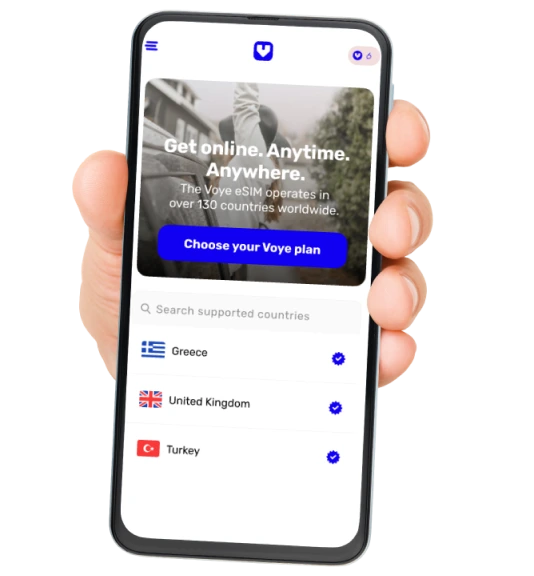
Voye Global makes international travel dramatically easier by giving you fast and reliable eSIM plans that work across more than 170+ destinations. Instead of juggling physical SIM cards, searching for airport kiosks or carrying extra devices, travelers simply scan a QR code and enjoy instant data wherever their journey takes them. This makes every step from airport arrival to city exploration smoother, safer and far more convenient.
Whether you are touching down in Tokyo, moving between cities in Japan, or flying onward to new countries, Voye Global removes the stress of staying connected. Each eSIM plan activates quickly, fits a wide range of travel lengths and provides dependable coverage in both major cities and remote regions. This helps travelers navigate, translate, book transport, share trip moments, and manage travel apps without interruption.
Travel Smarter, Stay Connected
Enjoy instant data access in 170+ countries with one digital eSIM.
Why Voye Global Makes Japan So Easy?
Voye Global has become a favorite among travelers who want immediate, stress free connectivity.
- Lightning fast eSIM activation.
- Coverage across Tokyo, Osaka, Kyoto and more.
- Plans suited to both short and long trips.
- Friendly customer support that speaks your language.
With Voye Global, travelers skip airport queues entirely and step into Japan already connected.
Arrive Prepared and Enjoy Tokyo from the First Minute
Landing at Haneda Airport in 2026 is one of the best ways to begin a Japan adventure. Everything becomes easier when your phone connects instantly. You can read platform signs, contact your hotel, understand train routes and navigate Tokyo confidently from the moment you step through immigration. Preparing your eSIM before your flight ensures you begin exploring with zero stress and maximum freedom. Install your eSIM at home, test it once during your trip to the airport, and land in Tokyo already ready to explore.

Seamless Mobile Data Everywhere
Voye Global — Your Trusted eSIM Partner for Secure & Reliable Travel.




 English