














Note that iPhone devices from Mainland China aren’t eSIM compatible. Also iPhone devices from Hong Kong and Macao aren’t compatible (except for iPhone 13 Mini, iPhone 12 Mini, iPhone SE 2020 and iPhone XS)
Staying connected abroad used to be stressful. Travelers had to juggle roaming fees, find local SIM cards, or depend on unreliable hotel Wi-Fi. Today, two modern options stand out: Wi-Fi calling and eSIM data plans. Both help you stay in touch without expensive roaming, but they work in very different ways.
This guide breaks down Wi-Fi calling vs eSIM in simple language, using real travel situations. By the end, you’ll know which one is better for your style of travel and why most modern travelers rely on eSIMs as their primary connectivity.
What Is Wi-Fi Calling?
Wi-Fi calling in simple words
Wi-Fi calling lets you make phone calls and send SMS texts using a Wi-Fi network instead of mobile signal. It works through your carrier, but the connection happens over the internet rather than a cell tower.
Think of it like WhatsApp calling, but using your actual phone number.
How Wi-Fi calling works
When your phone detects a Wi-Fi network:
- It sends voice packets through the Wi-Fi router.
- Your carrier routes the call to the receiver.
- The person you call sees your regular number with no apps needed.
Compatible smartphones
Most modern devices support Wi-Fi calling, including:
- iPhones (iPhone 6 or newer)
- Samsung Galaxy (A-series, S-series, Z-series)
- Google Pixel (Pixel 3 and newer)
- Many other Android models
However, compatibility also depends on your carrier.
Carrier requirements
Wi-Fi calling must be enabled by your mobile operator. Some carriers support it internationally, some do not. For example:
- Certain carriers allow Wi-Fi calling abroad at no extra cost.
- Others restrict it to domestic use only.
- Some countries block Wi-Fi calling for regulatory reasons.
Always check your carrier’s policy before flying.
Real-life examples of Wi-Fi calling
Wi-Fi calling works best when you are in a stable, private network. For example:
- At a hotel with strong Wi-Fi, Wi-Fi calling is usually clear and reliable.
- At the airport, crowded networks often get overloaded. Calls may drop or sound robotic.
- In cafés or restaurants, public Wi-Fi is often slow and insecure.
- During layovers, open Wi-Fi networks are inconsistent and sometimes require log-ins that break connectivity.
In short: Wi-Fi calling works beautifully, but only when the Wi-Fi is strong.
How eSIM Data Plans Work
What is an eSIM?
An eSIM (embedded SIM) is a digital SIM card built into your phone. It lets you activate a mobile data plan without buying a physical SIM.
Instead of swapping SIM trays, you download a profile and connect instantly.
How international travelers use eSIM
Travelers use eSIM data plans to:
- Get 4G or 5G data immediately upon landing
- Use maps, taxis, messaging apps, and email
- Avoid roaming charges
- Stay connected anywhere, not just where Wi-Fi is available
Because eSIM works through local networks, you get coverage throughout the country.
Device compatibility
Most newer phones support eSIM:
- iPhone XS and newer
- Google Pixel 4 and newer
- Samsung Galaxy S20 and newer
- Many recent Xiaomi, Oppo, and Huawei devices
- Modern tablets and smartwatches
Travelers should always check compatibility before buying a plan.
How eSIM is activated
You can activate an eSIM in two ways:
- QR code
Scan the code, follow the prompts, and the mobile plan installs automatically. - App activation
Many eSIM providers allow one-tap installation through an app, ideal for beginners.
Activation usually takes less than 2 minutes.
Benefits of eSIM over traditional SIM cards
- No need to find a SIM card store at the airport
- No risk of losing or damaging your home SIM
- Switch between multiple countries with one eSIM
- Keep your home number active for OTPs and banking
- No waiting in line or dealing with language barriers
For most travelers, eSIMs offer a modern, effortless solution.
Your Journey, Our eSIM
Stay online abroad with instant activation.
Wi-Fi Calling vs eSIM: Detailed Comparison for Real Travel Needs
Connectivity reliability
- Wi-Fi calling
Great in strong, private Wi-Fi networks. Unreliable in public places where connections fluctuate. - eSIM
Works everywhere with mobile coverage: airports, taxis, streets, trains, and remote towns.
Conclusion: eSIM provides consistent, uninterrupted connectivity.
Coverage globally
- Wi-Fi calling
Limited to Wi-Fi availability. Does not work outdoors or while moving. - eSIM
Offers broad 4G or 5G network coverage across countries and continents.
Conclusion: eSIM wins for universal coverage.
Latency and call quality
- Wi-Fi calling
Quality depends entirely on the Wi-Fi network. Congested networks cause delays or robotic voice. - eSIM
Mobile data networks deliver stable call quality with VoIP apps or calling apps.
Conclusion: eSIM offers a smoother experience for travelers.
Internet dependency
- Wi-Fi calling: Needs strong Wi-Fi
- eSIM: Needs mobile signal (much more widely available)
Conclusion: eSIM offers better connectivity in real-world travel.
Cost and pricing structure
- Wi-Fi calling
Often free if your carrier supports it abroad. But you must rely on Wi-Fi networks. - eSIM
Affordable prepaid plans, fixed prices, no roaming fees.
Conclusion: Wi-Fi calling is cheaper, but eSIM offers far more real usability.
Safety and security for banking, OTP, and business
- Wi-Fi calling
Public Wi-Fi networks are vulnerable to hacking. Logging into banking apps on open Wi-Fi is risky. - eSIM
Mobile networks are encrypted and more secure for OTPs, business calls, and sensitive data.
Conclusion: eSIM is the safer option.
Convenience in real travel
- Wi-Fi calling
Great in hotel rooms.
Poor in airports, cafés, taxi rides, and outdoors. - eSIM
Works the moment your plane lands.
No need to search for Wi-Fi.
Works in taxis, rural areas, and trains.
Conclusion: eSIM is far more convenient.
Examples
Wi-Fi calling example:
A traveler tries to call home from an airport lounge, but the Wi-Fi is overloaded. The voice breaks up every few seconds.
eSIM example:
Another traveler activates an eSIM on the plane and has instant 4G or 5G when landing, enough to book a taxi, message family, and check hotel directions.
Pros and Cons Tables
Pros and Cons of Wi-Fi Calling
| Pros | Cons |
|---|---|
| Free with many carriers | Requires strong Wi-Fi |
| Uses your regular phone number | Unreliable in airports and cafés |
| Good for hotel calls | Not secure on public Wi-Fi |
| No need for mobile data | Cannot be used outdoors or while moving |
| Works for SMS and OTP if carrier allows | Some carriers block Wi-Fi calling abroad |
Pros and Cons of eSIM Data Plans
| Pros | Cons |
|---|---|
| Instant activation anywhere | Requires eSIM compatible phone |
| Works in taxis, trains, rural areas | Data packages vary by country |
| Secure mobile connection | Some users need help with first-time setup |
| Ideal for maps, banking, OTPs | Physical SIM users must switch to eSIM supported models |
| Global 4G or 5G coverage | Long trips may require larger or multi-country plans |
| No roaming charges | Data only plans may not include regular phone calls |
Which Option Fits Your Travel Style?
Vacation traveler short trip
Best choice: eSIM plus Wi-Fi calling as backup
Vacationers need easy, instant internet. eSIM offers navigation, photos, translations, and messaging anywhere. Wi-Fi calling is great once you are at your hotel.
Digital nomad working remotely
Best choice: eSIM
Reliable data is essential for remote work. A stable mobile network is far more dependable than hotel Wi-Fi. Nomads also move often, and eSIMs switch between countries easily.
Global Coverage, Local Rates
Experience hassle-free connectivity wherever you go.
Business traveler needing OTPs and stable calls
Best choice: eSIM
Bank logins, two-factor authentication, and business calls require security and reliability. Public Wi-Fi networks pose security risks. eSIMs offer encrypted mobile connectivity.
Backpackers moving frequently
Best choice: eSIM
Backpackers change cities, buses, hostels, and rural areas frequently. Wi-Fi is inconsistent. eSIM keeps them connected from one place to another without interruption.
Tech-savvy solo travelers
Best choice: eSIM
Tech-savvy travelers appreciate fast activation, multi-country plans, and app-based management.
Why eSIM Is Better for International Trips
Always on mobile data
With eSIM, you have internet the moment you land. Perfect for booking taxis, checking messages, or finding your hotel.
No need for public Wi-Fi
You avoid risky networks that are slow, insecure, or overcrowded.
Works everywhere
Taxi rides, bus journeys, mountain viewpoints, city streets, or rural villages, your eSIM keeps you connected.
Global coverage
Many eSIM providers offer regional and global plans that work across multiple countries.
Safe, private, and secure
Mobile networks use strong encryption. Unlike public Wi-Fi, they protect you from snooping or hacking attempts.
Best for OTP, banking, and 2FA
Because your data connection is secure and always on, banking apps and verification codes work smoothly.
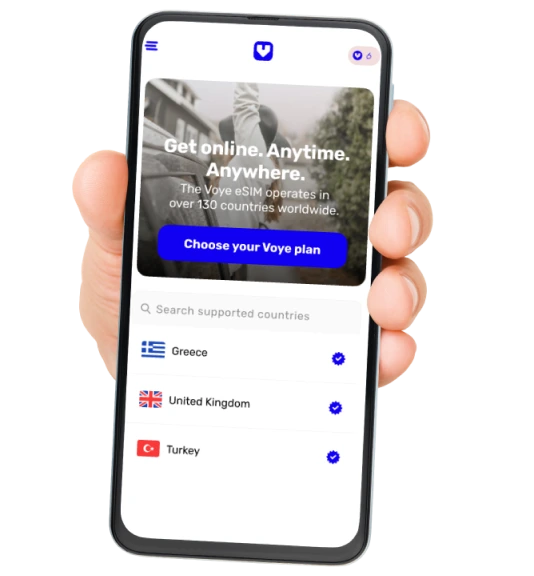
Voye Global: A Reliable eSIM Solution for Travelers
If you are looking for a dependable eSIM for travel, Voye Global eSIM is a strong choice. It offers:
- Instant activation via QR code or app
- High speed 4G or 5G in many countries
- Affordable regional and global plans
- No roaming charges
- Multi-country support for long journeys
- Smooth connectivity for maps, ride apps, and messaging
Whether you are on a short vacation or a months-long remote work trip, Voye Global provides simple, secure connectivity without any complicated steps.
Final Recommendation: Wi-Fi Calling vs eSIM Data Plans
After comparing both solutions:
- Wi-Fi calling is a good secondary tool.
It is useful when you are in a hotel or a solid private network. - eSIM should be your primary connectivity.
It works anywhere, is more secure, and gives you instant access to maps, taxis, banking, OTPs, and messaging the moment you land.
In real travel situations, eSIMs provide the reliable, everyday connection that modern travelers need.

Seamless Mobile Data Everywhere
Voye Global — Your Trusted eSIM Partner for Secure & Reliable Travel.




 English