














Note that iPhone devices from Mainland China aren’t eSIM compatible. Also iPhone devices from Hong Kong and Macao aren’t compatible (except for iPhone 13 Mini, iPhone 12 Mini, iPhone SE 2020 and iPhone XS)
Travel has changed. Today, a hotel room is not just a place to sleep. It is a temporary office, a financial hub, and a social media studio. We attend video meetings, upload files, pay invoices, transfer money, and manage business operations from anywhere in the world.
And almost every one of those actions begins with one thing.
Connecting to hotel Wi-Fi.
Free hotel internet is one of the most requested amenities across global hospitality. Travelers rely on it daily. However convenience often hides a serious cybersecurity issue. A hotel network is not private, and it is rarely designed with high level data protection in mind.
Many travelers assume a reputable hotel means secure internet. Unfortunately cybersecurity does not work that way. Even luxury hotels frequently operate networks that are easier to attack than a home router.
This article provides a deep, practical explanation of hotel Wi-Fi safety. You will learn how hotel networks work, how hackers exploit them, what risks exist for banking and work, and how you can protect yourself while traveling. You will also understand why more professionals now prefer private mobile data solutions such as Voye Global eSIM connectivity instead of public Wi-Fi.
Why Hotel Wi-Fi Has Become a Major Cybersecurity Target
Cybercriminals do not randomly choose victims. They target environments with three characteristics:
- Large number of users
- Weak security controls
- Valuable data
Hotels perfectly match all three.
A single hotel network may host hundreds of guests simultaneously. These guests include corporate executives, remote workers, entrepreneurs, and international tourists. Many carry laptops filled with confidential data.
Unlike corporate offices, hotels are not cybersecurity organizations. Their main business is hospitality, not network protection. As a result, the wireless infrastructure often receives limited monitoring and infrequent updates.
To hackers, this is an opportunity.
Travelers are also more distracted. They are tired after flights, focused on meetings, and less cautious about security warnings. Attackers depend on this behavior.
How Hotel Wi-Fi Actually Works?
To understand the risk level, we need to understand the technology.
A hotel network is a shared local area network. Every connected device communicates through central access points connected to a router and internet gateway. When you join the network, your device becomes part of a large shared environment.
Unlike your home network:
- You do not control the router
- You do not know other users
- You cannot verify security configuration
- You cannot monitor traffic
Most hotels use a captive portal login page. You enter your room number or accept terms and conditions. This is not authentication in a cybersecurity sense. It simply tracks billing.
Your device still communicates across the same network as strangers in nearby rooms.
Many hotels also segment bandwidth rather than security. Their priority is preventing speed congestion, not preventing data interception.
The Real Dangers of Public Wi-Fi Networks
Public Wi-Fi risks are not theoretical. Cybersecurity researchers consistently demonstrate how easily shared networks can be exploited.
Below are the primary threats travelers face.
Packet Sniffing
Every time your device sends data, it is broken into small packets. On unsecured or poorly configured networks, attackers can capture these packets using software tools.
Captured information may include:
- Login credentials
- Email content
- Session cookies
- Browsing activity
Even encrypted connections can reveal valuable metadata such as visited websites and session tokens.
Man in the Middle Attacks
In this attack, a hacker secretly positions their device between you and the router. Your data passes through their system first.
You still see the website normally, but the attacker can:
- Read communication
- Modify pages
- Steal passwords
- Redirect transactions
This is one of the most dangerous public Wi-Fi attacks because victims rarely notice it.
Evil Twin Networks
This is the most common hotel Wi-Fi trap.
An attacker creates a hotspot named similar to the official network:
Hotel_Guest
Hotel Guest WiFi
Hotel Lobby WiFi
Your phone automatically connects. You believe you are using the hotel internet. In reality, you are connected directly to a hacker’s laptop.
Every keystroke can be monitored.
DNS Spoofing
Instead of hacking your bank, attackers trick your device.
You type your bank website correctly, but the network sends you to a fake page. The page looks identical. Once you log in, your credentials are stolen.
Malware Injection
Some attackers exploit outdated router firmware or insecure protocols to inject malicious files into downloads or web pages.
Your device may become infected without you opening any suspicious attachment.
Is Hotel Wi-Fi Safe for Online Banking?
Banking requires the highest level of data protection. Unfortunately hotel Wi-Fi is the worst environment for financial activity.
Even though banks use encryption, public networks introduce additional vulnerabilities:
- Fake login pages
- Credential interception
- Session hijacking
- Redirected transactions
If an attacker gains access to your login session, they may not need your password again. They can capture authentication cookies and bypass login steps.
Another overlooked risk is password reset access. If your email account is compromised on hotel Wi-Fi, your bank account can be reset without direct hacking of the bank.
Financial fraud often begins with compromised email rather than bank credentials.
For this reason, cybersecurity experts strongly advise against performing any banking transaction on public networks.
Risks for Remote Work and Business Travelers
Remote work has expanded dramatically. Many professionals now work from hotels, resorts, and short term rentals.
This has created a new cybersecurity problem: unsecured remote access.
When you connect to corporate tools over hotel Wi-Fi, you expose more than personal information. You expose company infrastructure.
Potential consequences include:
- Client data leaks
- Intellectual property theft
- Contract exposure
- Account takeover
- Ransomware entry points
Many businesses have suffered breaches because employees logged into internal systems from insecure networks.
Cloud platforms do not eliminate this risk. If an attacker steals your login session, they gain the same access you have.
Imagine a marketing manager uploading campaign data, or a developer accessing source code repositories. Those files can be captured or altered.
Legal consequences can be severe, especially under data protection regulations.
Personal Use Is Not Harmless
Travelers often assume casual browsing is safe. Unfortunately attackers prefer easy targets.
Social media accounts, shopping platforms, and cloud storage contain valuable personal data.
What can hackers do with a compromised personal account?
- Impersonate you
- Send phishing messages to contacts
- Access saved credit cards
- Reset financial passwords
- Perform identity theft
Photos stored in cloud backups may contain documents, boarding passes, or ID images. These details can be used for fraud.
Personal data has high black market value.
Why HTTPS Alone Is Not Enough?
Many travelers believe the padlock icon in the browser guarantees safety. HTTPS encryption is important but not a complete defense.
HTTPS protects data between your browser and the website server. It does not protect you from:
- Fake Wi-Fi networks
- DNS manipulation
- Session hijacking
- Malware installation
If you connect to an attacker’s network, encryption may still occur, but the attacker controls the connection pathway.
Security depends not only on encryption but also on network trust.
Warning Signs a Hotel Network May Be Compromised
You should disconnect immediately if you notice:
- Certificate warnings
- Unexpected login pages
- Frequent disconnects
- Websites loading incorrectly
- Password requests from pop ups
- Device suddenly overheating or slowing
- Unknown software installation prompts
Your instincts matter. If something feels wrong, it probably is.
Essential Cybersecurity Practices While Traveling
You can reduce risk significantly by following disciplined habits.
Device Preparation Before Travel
- Update operating system
- Install security patches
- Enable device encryption
- Activate biometric locks
- Backup data securely
Network Safety Practices
- Disable auto connect Wi-Fi
- Turn off file sharing
- Avoid unknown networks
- Forget networks after checkout
Account Protection
- Use strong unique passwords
- Enable two factor authentication
- Use a password manager
- Avoid shared computers
These practices create multiple layers of defense.
Role of VPN in Public Wi-Fi Security
A VPN encrypts internet traffic and routes it through a secure server. This prevents nearby attackers from reading transmitted data.
Benefits include:
- Encrypted communication
- Hidden IP address
- Reduced packet interception
- Protection from local network snooping
However a VPN is not perfect. It does not protect against fake networks or malware already installed on the device.
VPN improves security but does not remove public Wi-Fi risk entirely.
Why Cellular Data Is More Secure
Mobile networks differ fundamentally from public Wi-Fi.
When you use cellular data:
- Authentication occurs at the telecom network level
- Traffic is encrypted by carrier infrastructure
- No strangers share your local network
- Attackers cannot easily intercept traffic nearby
This drastically reduces exposure to local cyberattacks.
The challenge historically was cost. International roaming charges made mobile data impractical for travelers.
Your Journey, Our eSIM
Stay online abroad with instant activation.
eSIM Technology Changes Travel Connectivity
An eSIM is a digital SIM embedded inside modern smartphones. Instead of buying a physical SIM card in each country, you download a mobile plan instantly.
This solves two major problems:
- Expensive roaming fees
- Dependence on public Wi-Fi
You land in a new country and activate data immediately. No store visits, no document verification, and no searching for hotspots.
How Voye Global Provides a Safer Alternative?
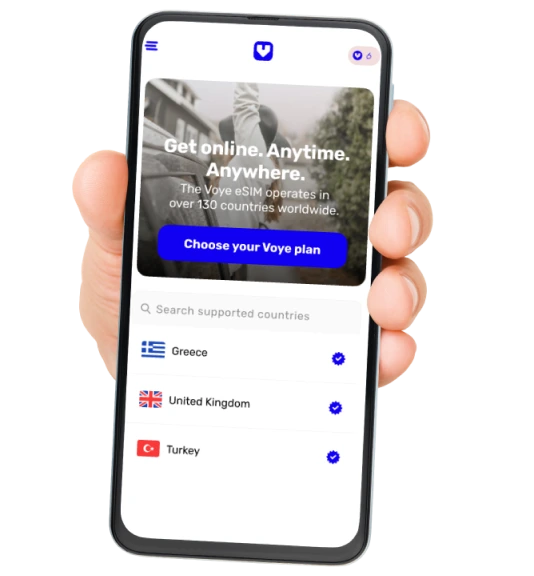
Voye Global offers international connectivity across more than 130 countries using eSIM technology. Travelers can access a private mobile data connection anywhere they go.
From a cybersecurity perspective, this changes behavior patterns.
Instead of relying on hotel Wi-Fi, travelers can:
- Access banking securely
- Join remote meetings
- Upload work files
- Navigate cities safely
Because the connection uses telecom infrastructure rather than shared local networks, attackers in nearby rooms cannot intercept traffic easily.
Voye Global also eliminates roaming shock with predictable pricing. Travelers no longer feel pressured to connect to unsafe Wi-Fi just to avoid data costs.
For digital nomads, business professionals, and frequent travelers, secure connectivity becomes practical rather than optional.
Practical Secure Travel Workflow
Here is a reliable daily routine for safe connectivity:
Morning
Check emails using mobile data
Work Hours
Join meetings using private connection
Financial Tasks
Use cellular network only
Hotel Wi-Fi Usage
Streaming, general browsing, or downloads only
Night
Disconnect from public networks
This approach separates sensitive and non-sensitive activity.
Common Mistakes Travelers Make
Even tech savvy users make errors.
The most dangerous mistakes include:
- Connecting automatically to saved networks
- Ignoring security warnings
- Logging into work accounts quickly
- Using the same password everywhere
- Disabling security features for convenience
Cybersecurity failures often come from urgency, not ignorance.
The Future of Travel Internet Security
Travel is becoming increasingly digital. Passports, payments, bookings, and work systems are all online.
Public Wi-Fi will continue to exist, but it is no longer suitable for critical tasks.
The trend is moving toward personal connectivity rather than shared connectivity.
eSIM technology is central to this shift. It allows travelers to maintain a secure personal network anywhere in the world.
Instead of adapting behavior to network availability, travelers bring their network with them.
Global Coverage, Local Rates
Experience hassle-free connectivity wherever you go.
Final Thoughts
Hotel Wi-Fi is convenient but not secure by design. It is a shared environment vulnerable to multiple forms of cyberattack. While acceptable for casual browsing, it is unsafe for banking, remote work access, and sensitive personal activity.
Travelers today carry their entire digital identity on a single device. Email, finances, business documents, and personal data all live in one place. Connecting that device to an untrusted network introduces real risk.
Basic precautions help, but the safest solution is avoiding shared networks for important tasks. Private mobile connectivity provides a far stronger security foundation.
Voye Global makes this possible through global eSIM connectivity across 160 countries, offering reliable internet access without roaming costs or physical SIM cards.
Secure travel is no longer only about passports and luggage. It now includes cybersecurity awareness. The network you choose can protect your data or expose it.
When traveling internationally, convenience should never come at the cost of security. A secure connection is not just a luxury. It is an essential part of modern travel.

Seamless Mobile Data Everywhere
Voye Global — Your Trusted eSIM Partner for Secure & Reliable Travel.




 English