














Note that iPhone devices from Mainland China aren’t eSIM compatible. Also iPhone devices from Hong Kong and Macao aren’t compatible (except for iPhone 13 Mini, iPhone 12 Mini, iPhone SE 2020 and iPhone XS)
Why Flight Delays Are Getting Worse, Not Better?
Record passenger volumes. Staffing pressures that never fully recovered. Aging ATC infrastructure. Climate disruption producing more severe weather across more travel corridors simultaneously. In 2026, flight delays are not occasional bad luck – they are a structural feature of modern travel.
The question is not whether delays will happen to you. It is whether you are prepared for them when they do. The traveler who has prepared correctly recovers in hours. The traveler who has not can wait days.
This guide covers every strategy available – from the moment you choose a flight to the moment you reach your destination.
Before You Book

Fly in the Morning
The single most effective delay avoidance strategy costs nothing: book the first departure of the day. Morning flights operate with a fresh aircraft and rested crew. They have not yet had the opportunity to accumulate the delay that propagates through every subsequent rotation on the same aircraft.
By early afternoon, an aircraft that departed 40 minutes late on its first flight of the day may be running 90 minutes late on its third. By evening, a chain of minor disruptions produces multi-hour delays on flights that were scheduled on time when you booked them weeks earlier. Book the first departure. If that is not possible, book the second.
Fly Mid-Week
Friday evenings and Sunday afternoons are the most delay-prone windows in commercial aviation. These are peak leisure travel periods when airports operate closest to capacity and a single disruption produces cascading effects across dozens of connecting services.
Tuesday and Wednesday are historically the most reliable travel days. Traffic volumes are lower, ground staff are less stretched, and ATC slots are more available. Holiday travel windows – the days immediately before and after major national holidays – carry disproportionate risk regardless of what day they fall on.
Choose the Right Airline and Route
On-time performance data is publicly available and worth five minutes of research before booking. FlightAware, Cirium, and the US Bureau of Transportation Statistics all publish airline delay statistics by route and carrier. Brand recognition and operational performance are not the same thing.
Every connection is a risk. A direct flight is safer than a connecting itinerary regardless of the published connection time. When a connection is unavoidable, the minimum connection time published by the airline is not the safe connection time – it is the minimum required for the booking to be legally valid. Add at least 45 minutes to the published minimum for domestic connections and 90 minutes for international ones. Research the connecting airport – Charles de Gaulle, JFK, O’Hare, and Heathrow T5 all have structural characteristics that make tight connections riskier than the same time window at a more efficient hub.
Book Directly with the Airline
When a delay triggers a rebook during peak disruption, the traveler on a directly-booked ticket has immediate access to options that the OTA-booked traveler is waiting for an intermediary to unlock. Book directly. Keep the full journey on one booking reference. Never split a through-journey across separate tickets unless you understand that a missed connection on a separate booking is entirely your problem to solve at your own expense.
Before You Leave for the Airport

Track the Inbound Aircraft
The most useful piece of information available before a flight is not what the airline app says about your departure. It is where the aircraft scheduled to operate your flight currently is.
Every commercial flight is operated by a specific aircraft completing a rotation. If that inbound rotation is running late, your flight will run late – regardless of what the departure board currently shows. Airlines update departure information conservatively, showing a delay only when it is certain. A tracking-savvy traveler can see it coming 90 minutes earlier.
FlightAware and FlightRadar24 both allow you to look up the inbound aircraft for any scheduled flight. If the plane that is supposed to operate your 4pm departure is currently sitting two hours behind schedule at its previous stop, your 4pm is not departing at 4pm. That knowledge is rebooking time the unprepared traveler simply does not have.
Check Weather at All Three Points
Weather at your destination is the last of three weather points that matter. Weather at your origin determines whether your flight departs. Weather at your connecting hub determines whether your connection is achievable. Weather at your destination determines whether arrival is possible at all.
The FAA’s Traffic Management Unit – publicly accessible online – lists active ground delay programs across US airports in real time. Eurocontrol’s Network Manager publishes delay advisories for European airspace. A ground delay program at a major hub affects every flight feeding through that hub, including flights originating in cities with perfectly clear skies. Knowing about it three hours before departure gives you options. Discovering it at the gate removes most of them.
Prepare Everything Offline
Your boarding pass, hotel booking, return flight details, travel insurance policy number, and the airline’s direct customer service number all need to be accessible without an internet connection.
Airport Wi-Fi during a major disruption event is not reliable. The same storm or ATC event that delayed 40 flights sends tens of thousands of passengers to their phones simultaneously, loading airport Wi-Fi to the point where it becomes functionally useless at exactly the moment you need it most.
Save everything to your phone’s native storage. Screenshot the boarding pass, booking confirmation, and hotel address. A travel eSIM with pre-installed data – already active on your device before you enter the airport – provides connectivity that does not depend on airport infrastructure at all. Voye Global eSIMs are installed at home before departure, activate on landing, and provide data across more than 160 countries without needing a SIM counter, a Wi-Fi password, or a functional airport hotspot.
At the Airport

Arrive With a Real Buffer
The airline’s recommended check-in time is the minimum required to make the flight under normal conditions – not the time that gives you options when conditions are not normal. Arriving 90 minutes earlier than required creates rebooking options that cutting it close eliminates entirely.
Clear security efficiently. TSA PreCheck, Global Entry, and CLEAR membership matter most during disruption events – when security queues double, the traveler with PreCheck is through in eight minutes while the general queue is 45. That difference is the rebooking window.
Get to the Gate Early and Stay Visible
Be at the gate before boarding begins. Talk to the gate agent before there is a problem. Introduce yourself if you have a tight connection. A gate agent who has already had a brief conversation with you is more likely to proactively alert you when a delay puts your connection at risk than one who sees you for the first time when you appear in a panic.
Use Lounges Strategically
Lounge agents handle fewer passengers and have the same system access as gate agents – but significantly less pressure during irregular operations. Most premium travel credit cards include lounge access through Priority Pass, DragonPass, or direct partnerships. Getting into the lounge before a delay is announced gives you access to better agents before the queue forms in the gate area.
When a Delay Is Announced?

Act in the First Five Minutes
When a delay or cancellation is announced, every affected passenger begins competing for the same alternative seats simultaneously. Flights that had empty seats when the delay was announced fill within minutes as the airline’s automated system, the app, phone queues, and gate desks all process requests concurrently.
Open the app, call the airline’s direct number, and walk to the gate desk simultaneously. Do not pick one channel and wait. Run all three in parallel. Whichever resolves first wins.
Before you reach the gate agent, open Google Flights and identify the alternative routings that exist. Arriving at the desk with a specific flight number is dramatically more effective than asking the agent to find you something. Present the solution. Ask for the confirmation.
Know What You Are Entitled To
EU – EC 261/2004: Flights departing from EU airports, or arriving at EU airports on EU carriers, entitle passengers to care from the point the delay becomes significant, and to financial compensation of up to €600 for delays over three hours or cancellations – unless the cause is classified as extraordinary circumstances. Weather typically qualifies. Mechanical delays and most ATC restrictions do not.
UK – UK 261: Post-Brexit equivalent of EC 261 with similar compensation tiers. Claims go to the airline first, then to the CAA if unresolved.
US – DOT Rules: No federal requirement to compensate for delays. Airlines must rebook passengers on cancelled flights at no charge and cannot hold passengers on a grounded aircraft beyond three hours domestic or four hours international.
Canada – APPR: Compensation tiers for delays and cancellations within the airline’s control, varying by delay length.
Know which regime applies before you need it. It changes the conversation at the gate.
Request Vouchers Early
Meal and accommodation vouchers are distributed until they run out. Ask at the desk within the first 30 minutes of the announcement – not after the PA system informs the full gate area. Lounge agents can often process requests before the general boarding area is even told there is a delay.
If the airline refuses care you are entitled to under EC 261, document the refusal, keep all receipts, and file a claim after the journey. AirHelp and ClaimCompass handle claims on a no-win no-fee basis.
Connectivity During Delays – The Element Most Travelers Overlook
Connectivity during a disruption is no longer a convenience. It is the infrastructure through which every recovery action runs.
When a delay is announced, every action you need to take immediately runs through your phone – rebooking on the app, calling the airline, checking Google Flights for alternatives, accessing your travel insurance policy, contacting whoever is meeting you at the destination. All of it requires a working data connection.
And airport Wi-Fi fails at exactly that moment. A major weather event grounding 60 flights at a hub sends tens of thousands of passengers to their phones simultaneously. Airport networks are not built for that load. They degrade. They time out. They provide just enough connection to load a spinner but not enough to complete a rebooking transaction.
Why a Pre-Installed eSIM Changes This?
A travel eSIM installed before departure runs on local mobile network infrastructure – entirely separate from the airport’s own systems. It does not degrade when 10,000 other passengers are trying to use the same network. It is active before you land and does not require a SIM counter, a registration queue, or a functional hotspot.
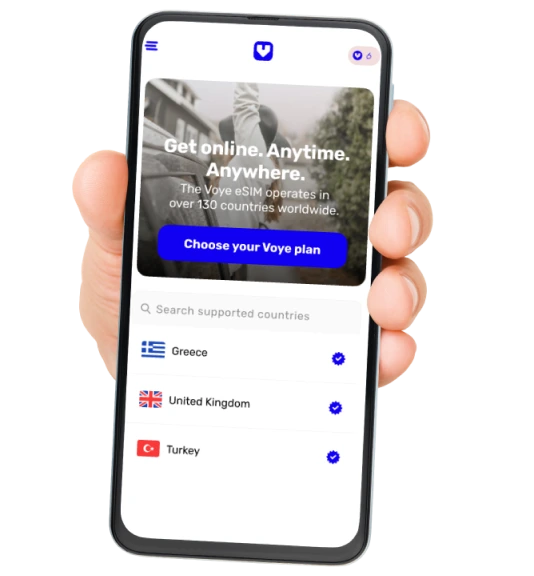
Voye Global provides eSIM coverage across more than 160 countries – with regional plans covering Europe (49 countries), Asia (18 countries), Latin America (27 countries including the Caribbean), North America, and more. The eSIM is purchased online, delivered by email as a QR code, installed at home in under five minutes, and activates the moment it detects a local network on landing.
During a delay at a European hub, a Voye Europe eSIM running on local 4G provides the stable connection through which you rebook, call, and research alternatives – while every other traveler fights for bandwidth on the same airport Wi-Fi that is serving ten times its normal load.
During a connection disruption in Asia, a Voye Asia eSIM covering 18 countries provides the connection needed to reach the airline, book the alternative hotel, and update everyone expecting you – without hunting for a local SIM card in an unfamiliar transit hall.
The moment a flight delay creates maximum pressure is the specific moment airport connectivity is most likely to fail. A pre-installed Voye eSIM removes that variable from the disruption equation entirely.
Use code VOYE15 for 15% off your first Voye Global order.

Travel Insurance and Card Protection
What Trip Delay Insurance Actually Covers?
Trip delay coverage – available through standalone travel insurance and as a built-in benefit on many premium travel credit cards – reimburses reasonable expenses incurred during a delay above a threshold, typically three to six hours. Covered expenses include meals, accommodation, and transport to and from the hotel.
The Chase Sapphire Reserve, Amex Platinum, and Capital One Venture X all include trip delay protection – but only when the ticket is purchased on the card. A ticket bought on a debit card or a different credit card does not activate the benefit even if you carry the protected card in your wallet.
Filing a Claim
Document everything in real time. Screenshot the airline’s delay notification with a timestamp. Keep every receipt. Request a formal delay certificate from the airline – a written statement confirming the delay length and cause. This document is required by most insurers and by EU National Enforcement Bodies for EC 261 claims.
File within the policy’s submission window – typically 30 to 90 days from travel. Claims filed outside this window are rejected regardless of merit.
Packing for Delay Resilience
Delays do not give you warning. Your carry-on should assume one is coming.
- Medications – at least 48 hours beyond your planned return, in your carry-on, not in checked luggage that may end up on a different routing than you do.
- Power bank – fully charged, with capacity for at least two full phone charges. A delay drains a phone faster than a normal travel day – tracking apps, rebooking, and extended screen time all run simultaneously.
- Change of clothes – for overnight delays. The most commonly omitted item and the most commonly regretted one.
- Snacks – airport food during major disruption events sells out. Meal vouchers are useful but the restaurant queue during a ground stop can be 40 minutes long.
- Physical document copies – passport photo page, insurance policy number, booking reference, hotel address. If your phone battery dies and the power bank is depleted, physical copies are the fallback.
- Travel carry-on only when possible – every checked bag limits rebooking flexibility. A passenger with carry-on only can walk from one carrier’s desk to another with complete freedom. A passenger with checked bags may need to retrieve and re-check luggage across carriers within a window that does not exist.
The Pre-Departure Checklist
- At booking: First departure booked where possible. Direct route selected. Connection time validated beyond the published minimum. Booked directly with the airline on one booking reference. Travel insurance activated on the right credit card.
- 48 hours before: Inbound aircraft tracked on FlightAware. Weather checked at origin, hub, and destination. Airline app notifications enabled. All documents saved offline. Voye Global eSIM installed and ready to activate – data available independent of airport Wi-Fi.
- At the airport: Arrived with genuine buffer time. Fast-track security used where available. Lounge accessed if available. At the gate early. Airline direct number saved in contacts.
- When delay announced: App, phone, and gate desk opened simultaneously within the first five minutes. Alternative routings already identified on Google Flights. Cause of delay confirmed with gate agent. Meal and accommodation vouchers requested early. Delay certificate requested for insurance. Voye eSIM providing stable data connection for all rebooking actions – independent of airport Wi-Fi load.
The Difference Between Travelers Who Recover and Those Who Don’t

Flight delays in 2026 are not going away. The infrastructure constraints are structural. Passenger volumes continue growing. Weather disruption is increasing.
The difference between the traveler who navigates a three-hour delay and boards an alternative flight with minimal disruption, and the traveler who spends the night in an airport hotel before the airline’s first offered alternative the next morning, is almost entirely preparation.
The first traveler tracked the inbound aircraft before leaving home. Booked the first departure of the day. Arrived with buffer time. Got to the gate early. Knew their rights before the announcement. And opened the rebooking app before the gate agent finished speaking.
And when the airport Wi-Fi degraded under the load of ten thousand other stranded passengers, their Voye eSIM was already running on local 4G – stable, connected, and ready for everything that needed to happen next.
Preparation does not prevent delays. It determines how long they last.
Seamless Mobile Data Everywhere
Voye Global — Your Trusted eSIM Partner for Secure & Reliable Travel.




 English