Travel smart. Save 15%.
VOYE15

Are eSIMs Worth It for Cruise Holidays?

Voye Global Team
March 31, 2026 · 6 min read
Planning a cruise and wondering if eSIMs are worth it? This comprehensive guide explores how eSIMs work on cruise holidays, their benefits, limitations, and how they compare to onboard Wi-Fi. Learn how to stay connected across multiple destinations, avoid expensive roaming charges, and enjoy fast internet at ports. Discover the smartest strategy for seamless connectivity and why solutions like Voye Global cruise eSIM are becoming essential for modern travelers. Whether you're navigating new cities or sharing your journey online, this guide helps you stay connected every step of the way.
Are eSIMs Worth It for Cruise Holidays?

Cruise holidays are all about relaxation, exploration, and often, disconnecting from daily life. However, in today’s connected world, most travelers still want reliable internet for navigation, communication, and sharing experiences. This is where eSIM technology comes into play.

But are eSIMs actually worth it for cruise holidays? Or are they just another travel trend without real value?

What is an eSIM and How Does It Work on Cruises?

An eSIM (embedded SIM) is a digital SIM card built directly into your smartphone or device. Instead of inserting a physical SIM card, you activate a mobile plan by scanning a QR code or downloading a profile.

Key Features of eSIM:

  • No physical SIM swapping
  • Instant activation
  • Ability to store multiple profiles
  • Seamless international connectivity

For cruise travelers, eSIMs provide a practical solution for staying connected across multiple destinations without the hassle of changing SIM cards at every port.

Do eSIMs Work on Cruise Ships?

The short answer is yes—but with limitations.

Where eSIMs Work Best:

  • At ports
  • Near coastal areas (typically within range of land-based towers)

Where They Don’t Work:

  • In the middle of the ocean
  • Far from land-based cellular networks

Most eSIMs rely on terrestrial networks, meaning they function when your ship is docked or close to shore. Once you move into international waters, connectivity typically drops unless you use specialized maritime solutions.

Why eSIMs Are Perfect for Cruise Holidays?

1. Significant Savings Compared to Roaming

Cruise roaming charges can be extremely high. Many travelers face unexpected bills due to international roaming or maritime network usage.

With an eSIM:

  • You pay local or regional data rates
  • There are no surprise charges
  • You avoid dependency on your home carrier

2. Seamless Multi-Country Connectivity

Cruises often span several countries in a single trip. Traditionally, this would require multiple SIM cards.

With an eSIM:

  • One plan can cover multiple destinations
  • No need to swap SIM cards
  • Instant connectivity when arriving at a new port

3. Fast and Reliable Internet at Ports

Cruise ship Wi-Fi is often:

  • Expensive
  • Slow
  • Congested

eSIMs offer:

  • 4G or 5G speeds at ports
  • Stable connections for navigation, communication, and uploads

This makes them ideal for:

  • Using maps
  • Booking excursions
  • Sharing photos and videos
  • Staying connected with family

4. Easy Setup Before You Travel

You can set up your eSIM before boarding your cruise.

Steps typically include:

  1. Purchase the plan online
  2. Scan a QR code
  3. Activate upon arrival

This eliminates:

  • Airport SIM searches
  • Language barriers
  • Last-minute setup stress

5. Dual SIM Convenience

With eSIM technology, you can:

  • Keep your primary number active
  • Use the eSIM for data

This is useful for:

  • Receiving important messages
  • Maintaining access to banking or verification codes
  • Staying reachable without incurring roaming fees

When eSIMs Are Not Enough on Cruises?

1. Not Suitable for Heavy Usage Offshore

Even when maritime connectivity is available, it is not ideal for:

  • Streaming
  • Video conferencing
  • Large downloads

2. Device Compatibility

Not all devices support eSIM technology. You will need:

  • A compatible smartphone
  • Updated software

eSIM vs Cruise Wi-Fi: Which is Better?

FeatureeSIMCruise Wi-Fi
CostAffordableExpensive
Speed in PortHigh (4G/5G)Not applicable
Speed at SeaLimitedAvailable (satellite)
ReliabilityStrong in portVariable
SetupQuick and easyRequires onboard purchase
Best UsePort connectivity & sea browsingAt-sea browsing

Best Strategy: Combine eSIM and Wi-Fi

The most effective approach is to use both.

Recommended Strategy:

At Sea:

  • Enable airplane mode
  • Use ship Wi-Fi for basic tasks

At Port:

  • Activate your eSIM
  • Use mobile data for faster and more reliable internet

This hybrid method:

  • Reduces costs
  • Improves performance
  • Ensures consistent connectivity

Voye Global Cruise eSIM: A Smart Choice

For travelers seeking a reliable eSIM solution, Voye Global cruise eSIM offers a practical option designed for cruise itineraries.

Key Benefits of Voye Global Cruise eSIM

  • Multi-Destination Coverage

Ideal for cruises spanning multiple countries, eliminating the need for separate plans.

  • Optimized Performance

Provides strong connectivity in ports and coastal areas where travelers need it most.

  • Cost Efficiency

Offers competitive pricing compared to traditional roaming and onboard Wi-Fi packages.

  • Simple Activation

Easy setup process with instant activation ensures you are ready before your journey begins.

  • Cruise-Focused Design

Built specifically for cruise travelers, focusing on the most critical connectivity moments—when you are on land.

Real-World Usage: What Travelers Experience

Many cruise travelers adopt a similar pattern:

  • Use eSIM for port days
  • Use onboard Wi-Fi during sea days

This approach maximizes both performance and cost savings.

When Should You Use an eSIM on a Cruise?

An eSIM is highly recommended if you:

  • Visit multiple destinations
  • Want to avoid roaming charges
  • Need reliable navigation tools
  • Stay active on messaging or social apps
  • Require fast internet at ports

When You Might Not Need One

You may skip an eSIM if:

  • You rely entirely on cruise Wi-Fi
  • You rarely use mobile data
  • Your carrier provides affordable international roaming

Practical Tips for Using eSIM on Cruises

  • Install Before Departure

Ensure everything is set up while you have stable internet.

  • Use Airplane Mode at Sea

Prevents accidental roaming charges.

  • Disable Data Roaming on Primary SIM

Avoid unintended costs.

  • Download Offline Resources

Maps and travel guides can be accessed without the internet.

Use Data Efficiently

Focus on heavy usage during port stops.

Future of eSIMs in Cruise Travel

eSIM technology continues to evolve. Future developments may include:

  • Enhanced maritime coverage
  • Better integration with satellite networks
  • More specialized cruise data plans

While eSIMs are not yet a complete replacement for onboard Wi-Fi, they are rapidly becoming an essential part of cruise travel connectivity.

Final Verdict: Are eSIMs Worth It for Cruise Holidays?

Yes, eSIMs are worth it for cruise holidays—when used correctly.

They offer:

  • Cost-effective data
  • Seamless connectivity across destinations
  • High-speed internet where it matters most

However, they are not a standalone solution for the entire cruise experience.

Conclusion

eSIMs have transformed how travelers stay connected, especially on multi-destination trips like cruises. While they cannot fully replace onboard Wi-Fi, they significantly enhance connectivity during port days.

For travelers looking to balance cost, convenience, and performance, combining an eSIM with onboard Wi-Fi is the most effective strategy.

Voye Global cruise eSIM stands out as a reliable option tailored to cruise travelers, offering seamless connectivity across destinations without the complexity of traditional SIM cards.

Voye Coupon Code

Seamless Mobile Data Everywhere

Voye Global — Your Trusted eSIM Partner for Secure & Reliable Travel.

Loading

Your Device Is Supported!

Text congratulating you about your device support! And telling you that you can still check the list of supported devices if you want to see for your friends / family.

Supported Devices:

  • Apple
    • iPhone Air
    • iPhone 17
    • iPhone 17 Pro
    • iPhone 17 Pro Max
    • iPhone 16
    • iPhone 16e
    • iPhone 16 Plus
    • iPhone 16 Pro
    • iPhone 16 Pro Max
    • iPhone 15
    • iPhone 15 Plus
    • iPhone 15 Pro
    • iPhone 15 Pro Max
    • iPhone 14
    • iPhone 14 Plus
    • iPhone 14 Pro
    • iPhone 14 Pro Max
    • iPhone 13
    • iPhone 13 Pro
    • iPhone 13 Pro Max
    • iPhone 13 Mini
    • iPhone 12
    • iPhone 12 Pro
    • iPhone 12 Pro Max
    • iPhone 12 Mini
    • iPhone 11
    • iPhone 11 Pro
    • iPhone 11 Pro Max
    • iPhone XS
    • iPhone XS Max
    • iPhone XR
    • iPhone SE (2022)
    • iPhone SE (2020)
    • iPad (7th generation)
    • iPad (8th generation)
    • iPad (9th generation)
    • iPad (10th generation)
    • iPad Mini (5th generation)
    • iPad Mini (6th generation)
    • iPad Air (5th generation)
    • iPad Air (4th generation)
    • iPad Air (3rd generation)
    • iPad Pro 11-inch (1st generation)
    • iPad Pro 11-inch (2nd generation)
    • iPad Pro 11-inch (3rd generation)
    • iPad Pro 11-inch (4th generation)
    • iPad Pro 12.9-inch (3rd generation)
    • iPad Pro 12.9-inch (4th generation)
    • iPad Pro 12.9-inch (5th generation)
    • iPad Pro 12.9-inch (6th generation)
    *

    Note that iPhone devices from Mainland China aren’t eSIM compatible. Also iPhone devices from Hong Kong and Macao aren’t compatible (except for iPhone 13 Mini, iPhone 12 Mini, iPhone SE 2020 and iPhone XS)

  • Samsung
    • Galaxy S25
    • Galaxy S25+
    • Galaxy S25 Ultra
    • Galaxy S25 FE
    • Galaxy S24
    • Galaxy S24+
    • Galaxy S24 Ultra
    • Galaxy S24 FE
    • Galaxy A56
    • Galaxy A55 5G
    • Galaxy A54 5G
    • Galaxy S23
    • Galaxy S23+
    • Galaxy S23 FE
    • Galaxy S23 Ultra
    • Galaxy S22 5G*
    • Galaxy S22+ 5G*
    • Galaxy S22 Ultra 5G*
    • Galaxy S21 5G*
    • Galaxy S21+ 5G*
    • Galaxy S21 Ultra 5G*
    • Galaxy S20*
    • Galaxy S20+*
    • Galaxy S20 5G*
    • Galaxy S20+ 5G*
    • Galaxy S20 Ultra*
    • Galaxy S20 Ultra 5G*
    • Galaxy Z Flip
    • Galaxy Z Flip 3 5G
    • Galaxy Z Flip 4
    • Galaxy Z Flip 5
    • Galaxy Z Flip 6
    • Galaxy Z Fold
    • Galaxy Z Fold 2
    • Galaxy Z Fold 3
    • Galaxy Z Fold 4
    • Galaxy Z Fold 5
    • Galaxy Z Fold 6
    • Galaxy Note 20
    • Galaxy Note 20 5G
    • Galaxy Note 20 Ultra*
    • Galaxy Note 20 Ultra 5G*
    • Galaxy Z Fold 7
    • Galaxy Z flip 7
    • A36
    • Galaxy A35 5G
    • Galaxy A23 5G
    • Galaxy XCover 7 Pro
    *

    Note that Samsung devices from Mainland China, Hong Kong, and Taiwan aren’t eSIM compatible. Additionally, Galaxy S20, S21*, and Note 20 Ultra devices from the USA. Galaxy FE models are also not eSIM compatible except for S23FE, S24 FE and S25 FE

  • Google Pixel
    • Pixel 9
    • Pixel 9 Pro
    • Pixel 9 Pro XL
    • Pixel 9 Pro Fold
    • Pixel 8a
    • Pixel 8
    • Pixel 8 Pro
    • Pixel 7
    • Pixel 7a
    • Pixel Fold
    • Pixel 7 Pro
    • Pixel 6
    • Pixel 6a
    • Pixel 6 Pro
    • Pixel 5
    • Pixel 5a
    • Pixel 4
    • Pixel 4a
    • Pixel 4 XL
    • Pixel 3
    • Pixel 3 XL
    • Pixel 3a
    • Pixel 3a XL
  • XIAOMI
    • 15
    • 14T
    • 14T Pro
    • 14 Pro
    • 13
    • 13 Pro
    • 13 Lite
    • 13T
    • 13T Pro
    • 12T Pro
    • Poco X7
    • Redmi Note 14 Pro
    • Redmi Note 14 Pro+
    • Redmi Note 11 Pro 5G
    • Redmi Note 13 Pro
    • Redmi Note 13 Pro+
    • Redmi Note 14 Pro+ 5G
    • 15 Ultra
    • Redmi Note 14 Pro 5G
    *

    Xiaomi Redmi Note 11 Pro 5G eSIM is available in Japan only.

  • Huawei
    • P40
    • P40 Pro
    • Mate 40 Pro
  • ONEPLUS
    • OnePlus 15
    • OnePlus 13
    • OnePlus 13T
    • OnePlus 13R
    • OnePlus 12
    • OnePlus 11
    • OnePlus Open
  • OPPO
    • Reno6 Pro 5G
    • A55s 5G
    • Find N2 Flip
    • Find X3 Pro
    • Find X5
    • Find X5 Pro
    • Reno A
    • X8
    • Reno14
    • Find N5
    • Reno14 Pro
  • MOTOROLA
    • Moto G85
    • Moto G55
    • Moto G54
    • Edge 50 Fusion
    • Edge 50 Pro
    • Edge 50 Neo
    • Edge 50 Ultra
    • Edge 40 Neo
    • Edge 40 Pro
    • Edge+
    • Razr 40 Ultra
    • Razr 2024
    • Razr+ 2024
    • Razr 2022
    • Razr 2019
    • Razr 5G
    • G53 5G
    • Edge 60
    • Edge 60 Pro
    • Edge 60 Fusion
    • Edge 60 Stylus
    • Moto G34
    • Moto G35
    • Moto G53
  • NOKIA
    • G60
    • XR21
    • X30
  • HONOR
    • Honor Magic6 Pro
    • Honor Magic6 Pro RSR
    • Honor Magic Vs
    • Honor Magic Vs3
    • Honor Magic V2
    • Honor Magic V3
    • Magic5 Pro
    • Magic4 Pro
    • Honor 90
    • Honor 200, 200 Pro
    • 7 Pro
    • 7 Lite
    • HONOR 400
    • HONOR 400 Lite
    • HONOR 400 Pro
    *

    Please confirm with your carrier that your device supports eSIMs as it’s available only in some regions.

  • FAIRPHONE
    • Fairphone 5
    • Fairphone 4
  • Evolveo
    • EVOLVEO StrongPhone G9
  • Hoozo
    • HZ0010J
  • Lenovo
    • d-42A
    • d-52C
  • MiTAC
    • N672
    • N630
  • Myphone
    • Hammer Blade 3
    • Hammer Explorer Pro
    • myPhone Now eSIM
  • Premier
    • TAB-7304-16G3GS
  • Rakuten
    • C330
    • Rakuten Hand
    • Rakuten BIG s
    • Rakuten Hand5G
  • Sharp
    • AQUOS sense4 lite SH-RM15
    • Aquos Wish6
    • Aquos Zero6
    • Aquos Sense6
    • Aquos wish5
    • SH-51F
  • Surface
    • Surface Duo
    • Surface Pro 9
  • Tag- Tech
    • TAG-TAB-III
  • Teclast
    • X_EEA
  • Vsmart
    • Active 1
  • ZTE
    • ZR01
    • A103ZT
    • A202ZT
    • RAKUTEN BIG
  • Zebra
    • EC55
    • ET56
    • Zebra Technologies L10
    • Zebra Technologies MC2700
    • TC26
    • TC57
    • Zebra Technologies TC57x
    • TC77
    • TC58
  • BQ
    • Aquaris X2
    • Aquaris X2 PRO
  • ABCTECH
    • X20
  • ASUS
    • ZenFone Max Pro M1 (ZB602KL) (WW) / Max Pro M1 (ZB601KL) (IN)
    • ZenFone Max Pro M2 (ZB631KL) (WW) / Max Pro M2 (ZB630KL) (IN)
  • BALMUDA
    • BALMUDA Phone
  • COVIA
    • CP-G3
  • DOOGEE
    • V30
  • Energizer
    • Hardcase H620S
  • FCNT
    • arrows We A101FC
    • arrows BZ03
    • arrows N F-51C
  • Gigaset
    • Gigaset GX4 PRO
  • Hamic
    • MIELS
  • Honeywell
    • CT30XP
    • CT45 XP
    • CT47
    • EDA52
    • EDA5S
  • KYOCERA
    • かんたんスマホ2
    • かんたんスマホ2+
    • DIGNO SANGA edition
    • DIGNO SX2
    • かんたんスマホ3
    • DIGNO SX3
    • Android One S10
    • Android One S9
  • Logic
    • LOGIC MV01
    • LOGIC MV02
  • SGIN
    • SGIN_E10M
  • KDDI
    • AQUOS wish2
    • AQUOS sense6s
    • AQUOS sense7
  • SG
    • AQUOS R6
    • シンプルスマホ6
    • AQUOS R7
    • Leitz Phone 2
    • AQUOS sense7 plus
  • Sony
    • Xperia 1 IV
    • Xperia 10 IV
    • Xperia Ace III
    • Xperia 5 IV
    • Xperia 10 III Lite
    • Xperia 1 V
    • Experia 1 VII
  • VIVO
    • X200 Pro
    • X200
    • X200 FE
    • X200s
    • X100 Pro
    • V40
    • V50
    • Watch 5
How do I get my eSim?

To get your eSIM, start by checking if your device supports eSIM technology. Then, contact your mobile carrier to request an eSIM activation. They will provide you with a QR code or activation details that you can scan or enter in your device settings. Once activated, you can enjoy the benefits of eSIM without needing a physical SIM card!

Travel Far, Stay Connected Always.
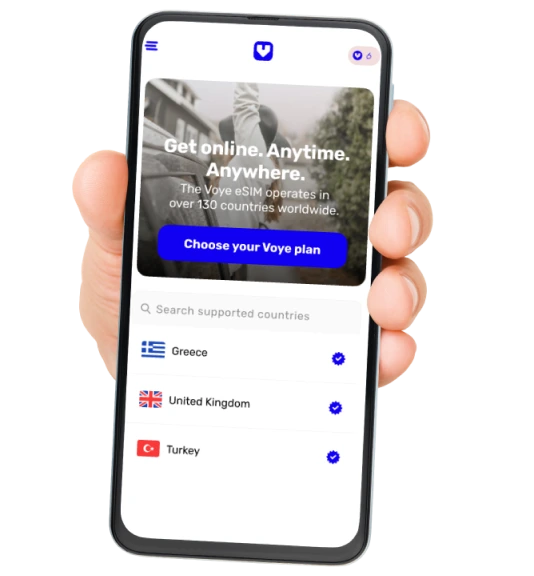
Download the App and manage your data plan easily.
google play store logo apple store logo
voye phone

Select Language:

Voye Global
Privacy Overview

This website uses cookies so that we can provide you with the best user experience possible. Cookie information is stored in your browser and performs functions such as recognising you when you return to our website and helping our team to understand which sections of the website you find most interesting and useful.